55 articles Tag android

Rainy Days update released, timestamp added.

As promised earlier, a new version of Rainy Days been released. This version adds the timestamp to the map so that you can see when it’s safe to go out the door :) I’ve also changed some things related to caching of the rainfall image on your device.

I already got some request to add more countries and regions to the map. Don’t worry, I’m working on it! For now enjoy the new version.

Rainy Days update later today adds timestamp

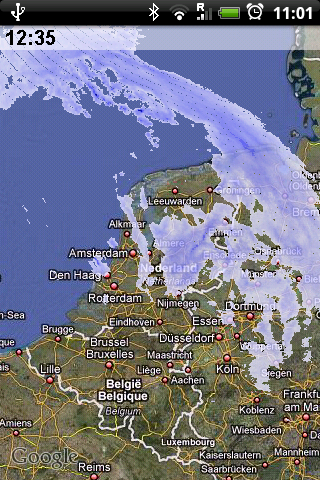
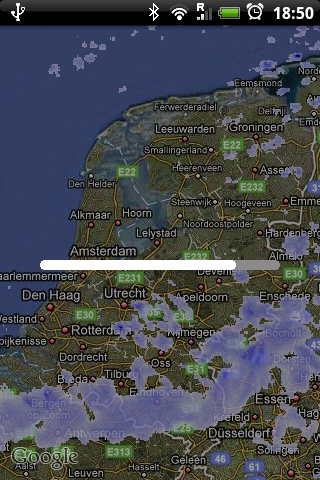
Just a quick heads up: I’ll be releasing an update to Rainy Days later today, which will add the timestamp on the displayed images. I got many request to add that and so I did.

Here’s a screenshot of what it will look like.

Device

My first published (and free) android app: Rainy Days

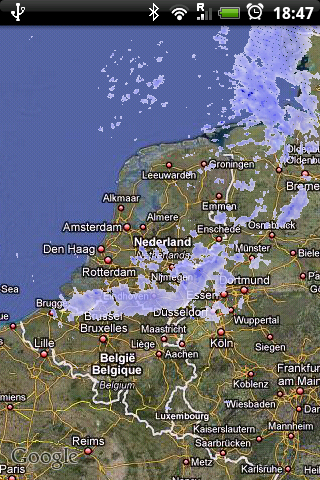
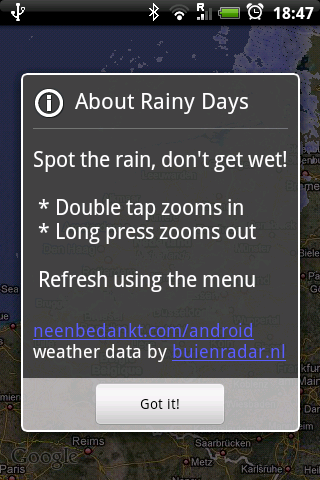
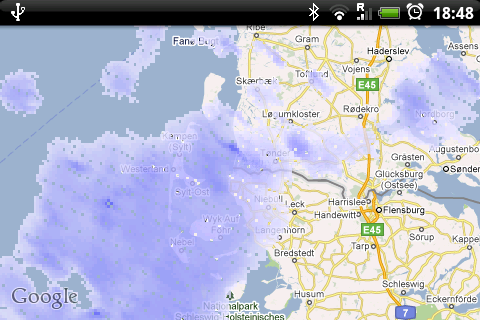
So there you have it: I’ve released my first free app just now. It’s called Rainy Days and show you rainfall radar images from buienradar.nl overlaid on Google Maps. This allows you to zoom and pan the map as you would expect. Simply double tap to zoom in and long press to zoom out. Ofcourse you can choose between satellite or maps view and if you rather like to zoom using the normal maps zoom controls you can set that as a preference.

Currently it shows you the rainfall in a large area around The Netherlands, and I’m looking to extend the coverage in the near future.

To download Rainy Days, search for “Rainy Days” in the market app or scan this barcode with your android:

Screenshots:

Feedback and comments are ofcourse very welcome!


Android lifecycle and you

As I’m finishing up on my (simple) application I’m now understanding the life cycle of an activity much better. While it’s not that hard to get right, it is easy to get it wrong :)

The lifecycle of an activity is documented here: http://d.android.com/reference/android/app/Activity.html, along with a nice picture. When testing your app you have to be aware that for example pressing the back button on the device might have a different effect then pressing the home button. To the user it seems the same; the app is no longer visible, but the difference of putting the app in the background (using the home key) or exiting the current activity (using the back key) might be important, depending on what resources your app is managing.

Getting the lifecycle right will make your app a good citizen on the Android platform, which is important for a good user experience.

Loving the Android

Since I got my HTC Hero Android phone, somewhere last august, I’ve been coding for it on and off. Now, in November I got a bunch of unfinshed Android projects and I’ve decided to actually finish one :)

Coding for Android has really been a pleasant experience. The platform is more open than any other mobile device that I ever worked with, the tools integrate OK with Eclipse, it has a nice architecture and, most importantly, I can code for it in the language I love and know: Java.

But building an application for a mobile device is still challenging. All of a sudden you need to be aware that resources aren’t unlimited in the mobile world. There are constraints on the amount of memory, object allocation, cpu speed, battery use etc that you suddenly get confronted with. For a Java developer this might be going back to the old days, especially when you come from a JEE background where the trend is to not think about these things and let your frameworks handle all of the heavy lifting.

I like thinking about the heavy lifting actually. I like to see what’s going on, so that I can be sure that it works and understand it. That’s one of the reasons that I like Android.